

Sag Rod Plugin
Sag rods for roof purlins and wall girts in Tekla Structures 2026. Pick one purlin in each bay; the plugin completes the bay and places continuous rods, real holes and nuts, as one parametric component you can change at any time.
Free plugin · BIM detailing
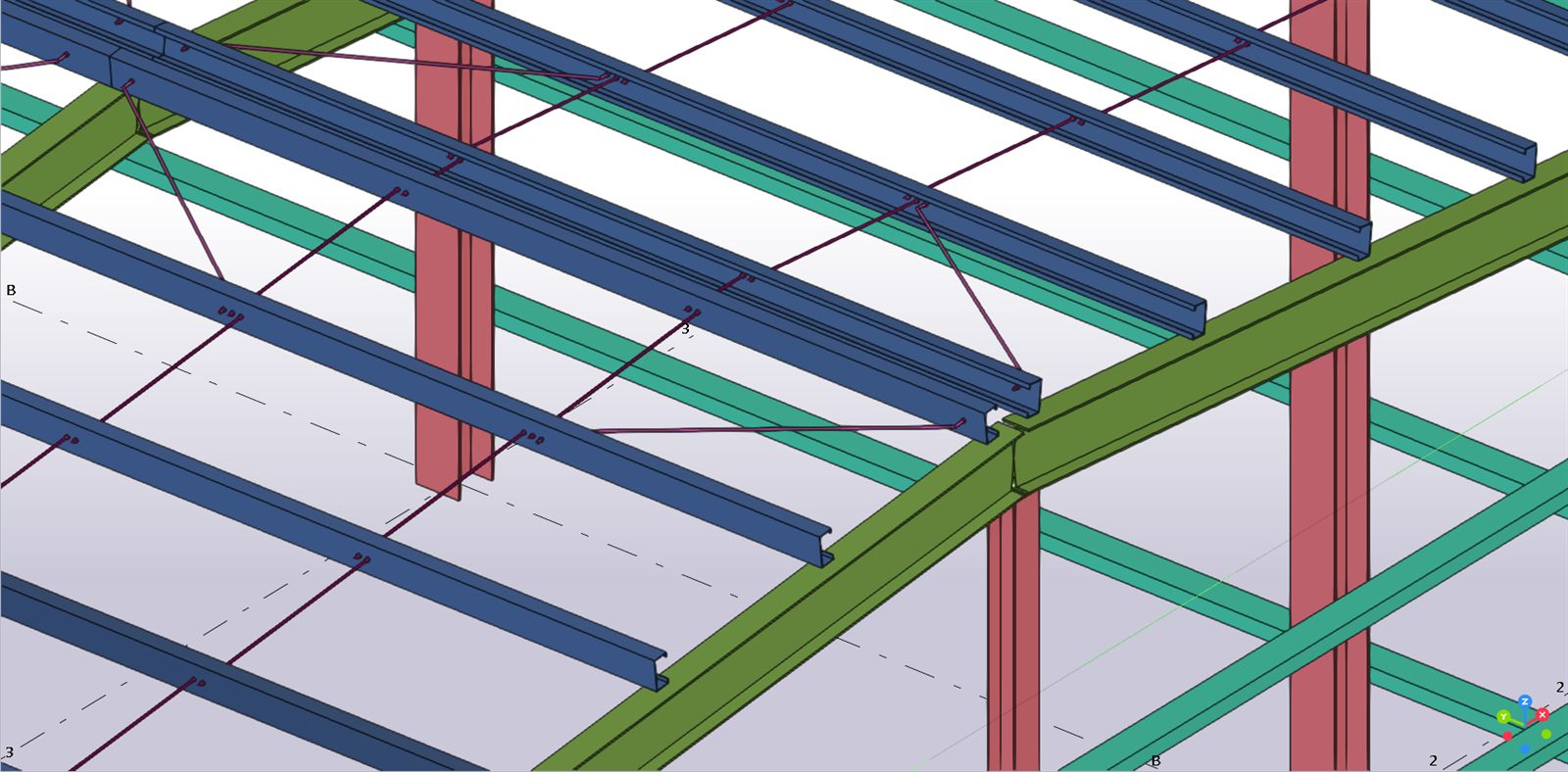
What it does
Sag rods are small parts, but there are hundreds of them, and every one needs matching holes in two purlins. Placed by hand, they are a common source of errors: missing holes, holes that do not line up, loose parts. The plugin places them by rule.
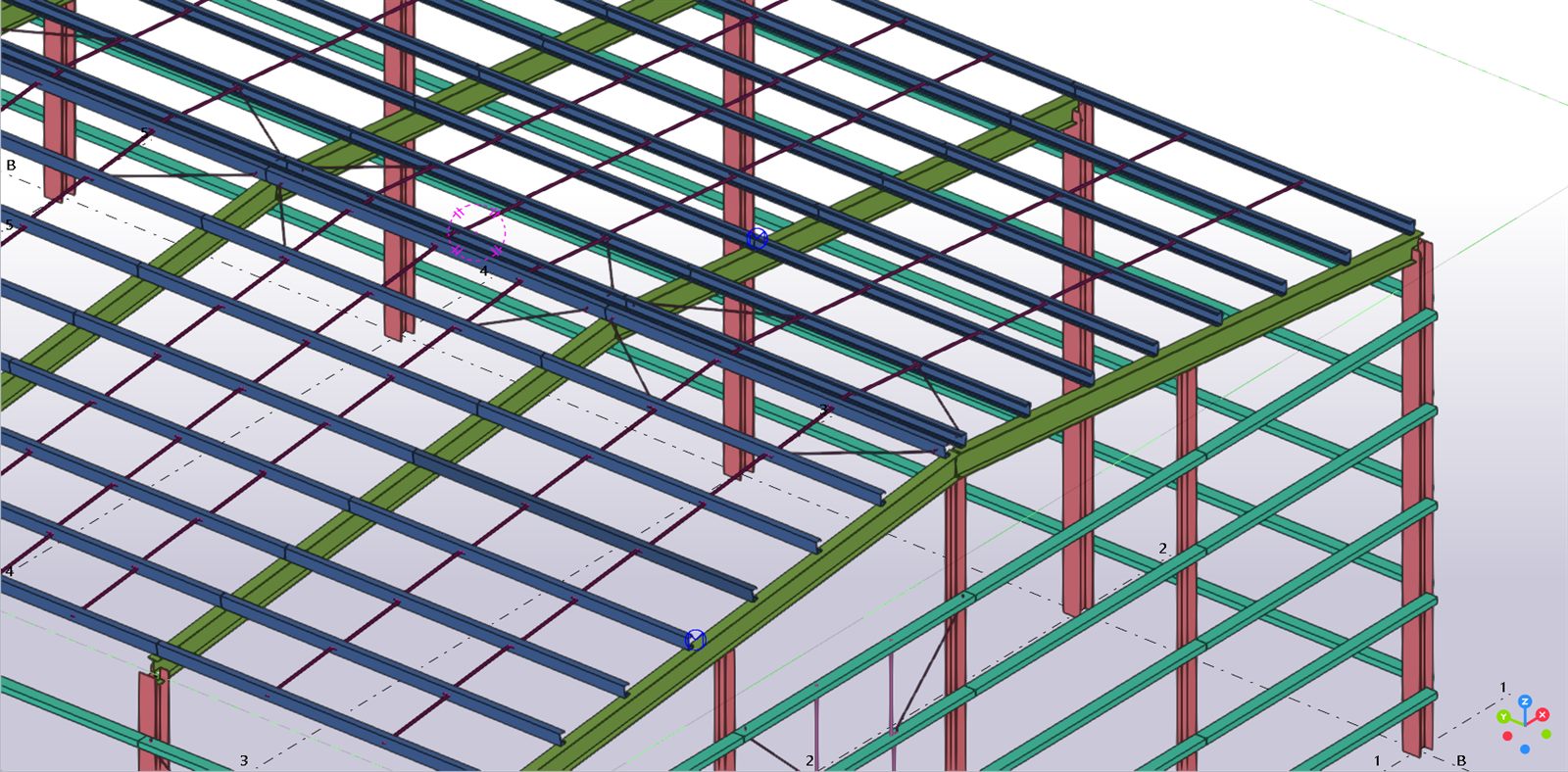
The bay completes itself
Pick any purlin of a bay. All parallel purlins of the same profile and span are found on both slopes; members of another building or another wall are left out.
Eave to ridge, every time
Rod lines at L/(n+1) of the span run without a gap from the eave purlin to the ridge purlin, one rod per purlin spacing.
Ridge tie, bird’s foot or both
Tie the two ridge purlins together, take the load to the rafters with a bird’s foot, or use both. The bird’s foot starts from the rod line nearest to each rafter.
Real holes, staggered
Holes are hole-only bolt groups in the purlin web, not cuts. Two neighbouring rods never share a hole: they sit side by side on the web centreline or stacked symmetrically about it.
Nuts in the rod’s assembly
A nut on both faces of every web, added to the rod’s assembly, so each rod and its nuts form one item and no loose parts are left behind.
Girts too
Pick a girt instead of a purlin: rods run from the bottom girt to the top girt, with a bird’s foot to the top girt near the columns as standard.
How to use it
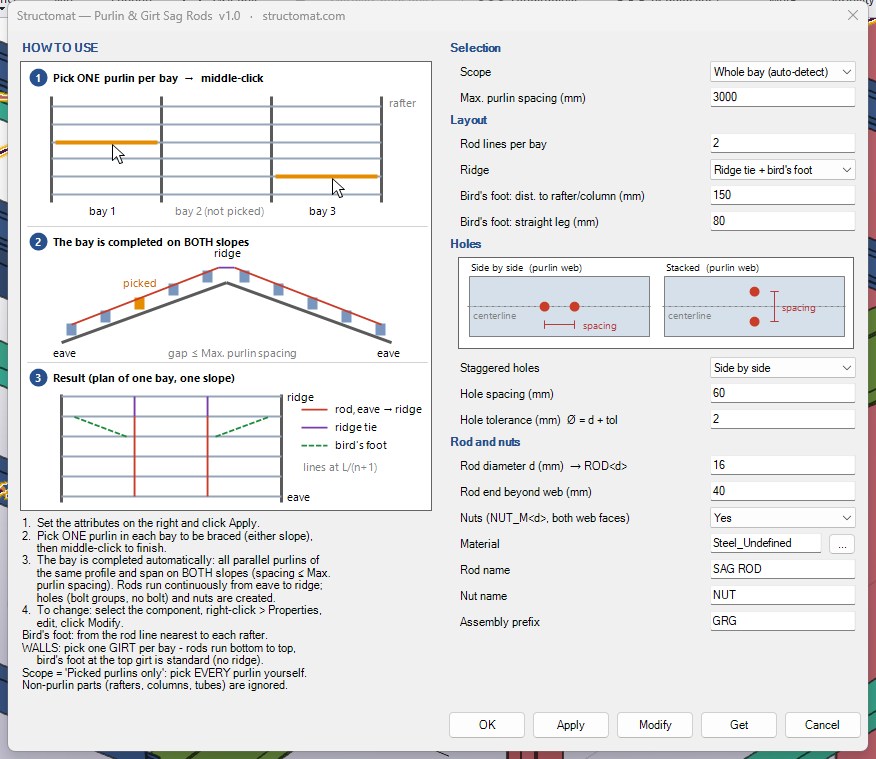
Set the attributes
Open the plugin and set rod lines per bay, the ridge detail, hole layout, rod diameter, material and names. Defaults are filled in.
Pick one purlin per bay
Click one purlin (roof) or one girt (wall) in every bay you want to brace and middle-click. Rafters, columns or tubes picked by mistake are ignored.
Change it later
Everything is one component. Select it, open its properties, change a value and click Modify: the rods, holes and nuts are rebuilt.
Requirements
- Tekla Structures 2026 on Windows.
- Straight purlins or girts of the same profile and span in each bay.
- Tested with cold-formed lipped C sections. Z, C and channel sections are recognised but not tested yet; check the result the first time you use them.
- Rod profile ROD<d>, nut profile NUT_M<d>, material from your own catalog.
What it does not do
- It does not design the sag rods. The number of lines, the rod size and the end details come from your structural design and must be checked by a qualified engineer.
- It does not model washers or rafter cleats; the bird’s foot ends at the purlin next to the rafter.
- Review the model before you produce drawings, as with any automatic detailing.
Get the plugin
The plugin is free. Send me an e-mail with your name, company and Tekla Structures version, and I will reply with the plugin and an installation guide.
Request the plugin Free to use, including on commercial projects; provided as is, without warranty. Your e-mail is used only to send you the plugin and answer your questions. It is not added to a mailing list. See Privacy.Tekla is a registered trademark of Trimble Solutions Corporation. This plugin is made by Structomat and is not affiliated with or endorsed by Trimble. More free tools: structomat.com/tools.